Logitech MX Master 4 Review 2026: AI-Enhanced Productivity Mouse
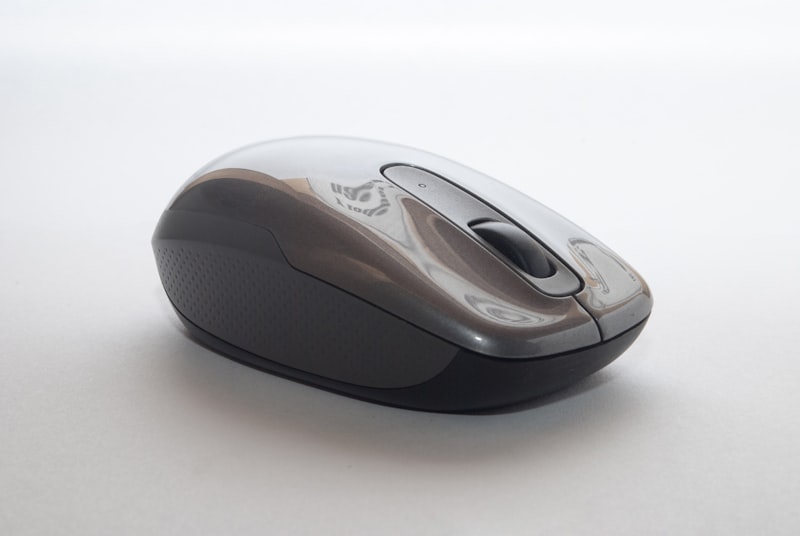
Logitech MX Master 4 Review 2026: The AI-Enhanced Productivity Mouse Perfected
Logitech’s MX Master series has been the gold standard for productivity mice since its inception, and the MX Master 4 pushes that legacy even further with advanced haptic feedback, AI-powered sensitivity optimization, and the most refined ergonomic design we have ever tested. At $119.99, it occupies the premium segment of the mouse market — but for professionals who spend 8+ hours a day at their computer, this mouse delivers productivity gains that far exceed its price.
What’s New in the MX Master 4?
The MX Master 4 builds on the acclaimed MX Master 3S with several meaningful upgrades. The headline addition is haptic feedback — the electromagnetic scroll wheel now provides subtle, customizable vibrations that give tactile confirmation across different scrolling contexts. Zooming through a spreadsheet? You will feel distinct notches. Scrolling through a long document? Smooth, texture-like feedback. It is a sensory upgrade that sounds gimmicky on paper but is genuinely transformative in practice.
The sensor has been upgraded to 8,000 DPI with AI-powered surface optimization that automatically adjusts tracking performance based on your desk surface. Glass, wood, fabric, metal — the MX Master 4 tracks flawlessly on all of them without any manual configuration. This is a major quality-of-life improvement over previous generations.
Connectivity has also been refined: the MX Master 4 supports Bluetooth LE alongside Logitech’s Bolt USB receiver, with multi-device pairing for up to three computers. Switching between devices is instant via the button on the bottom, and Logitech’s Flow software lets you copy-paste between connected computers seamlessly.
Ergonomics and Comfort
The MX Master 4’s Ergolab-inspired shape remains the most comfortable mouse grip we have tested. The pronounced thumb rest supports your hand in a natural 33-degree angle that eliminates wrist strain during extended use. At 141 grams, it is substantial enough to feel controlled during precise movements without being fatiguing.
The new soft-touch coating on the primary buttons feels premium and resists the glossy wear that plagued older MX Master models. The magnetic charging port (USB-C) is perfectly positioned to avoid cable drag during charging, and the internal battery provides an astounding 70 days of use on a single charge — two full months of daily work without thinking about battery life.
A full charge takes approximately 2 hours via USB-C, and a quick 1-minute charge provides about 3 hours of use. The MX Master 4 can also be used as a wired mouse while charging, ensuring you are never without your primary input device.
The Haptic Scroll Wheel: A Game Changer
The electromagnetic MagSpeed scroll wheel was already the best scroll wheel on any mouse, and the addition of haptic feedback takes it further. In ratchet mode (for precise line-by-line scrolling), the haptic engine provides defined clicks that are satisfying without being loud. In free-spin mode (for rapid long-document navigation), the haptic feedback creates a smooth, almost fluid sensation that makes scrolling through 100-page documents feel effortless.
Most impressively, the haptic feedback is context-aware. In Adobe Premiere Pro, the wheel provides frame-by-frame precision. In Excel, it snaps to cell boundaries. In web browsers, it provides smooth page-scrolling feedback. This is not just a gimmick — it is a genuine productivity enhancement that you will miss the moment you switch back to any other mouse.
Performance and Precision
The 8,000 DPI Darkfield sensor tracks on virtually any surface without a mousepad, including glass desks at least 4mm thick. In our testing, tracking was flawless across wood, marble, fabric, and glass — no skipping, no jitter, no hiccups. The AI surface optimization runs continuously in the background, making micro-adjustments to tracking algorithms without any user intervention.
For creative professionals working in Photoshop, Illustrator, or CAD applications, the MX Master 4 offers pixel-precise control that rivals dedicated gaming mice, while maintaining the ergonomic comfort needed for all-day use. The seven buttons (including the gesture thumb button) are all customizable through Logi Options+.
Logi Options+ Software
Logitech’s Options+ software has matured into a genuinely powerful customization tool. You can configure per-application button mappings, adjust scroll wheel behavior, customize haptic feedback intensity, and manage multi-device profiles. The software recognizes over 400 popular applications and provides sensible default configurations that work well out of the box.
Particularly useful is the Smart Actions feature — a built-in macro/automation system that lets you trigger complex multi-step workflows with a single button press. Launch your morning app stack, insert common text templates, execute keyboard shortcuts chains — all from a button on your mouse.
How Does It Compare?
Against the Logitech MX Keys S Plus keyboard (its natural companion), the MX Master 4 completes the ultimate productivity peripheral set. Together, they provide the best wireless workspace experience available.
Compared to competitors like the Razer Pro Click Mini or Microsoft Surface Precision Mouse, the MX Master 4 wins on ergonomics, scroll wheel quality, battery life, and haptic feedback. The nearest competitor is the MX Master 3S (still available at $99), which remains excellent but lacks the haptic wheel, AI surface tracking, and improved coating of the new generation.
Pros and Cons
Pros:
- Haptic scroll wheel is a genuine productivity revelation
- Best-in-class ergonomics — the most comfortable mouse for extended use
- 70-day battery life on a single charge
- Tracks on any surface including glass (AI surface optimization)
- Customizable Smart Actions for workflow automation
- Multi-device pairing (3 devices) with Logitech Flow
- USB-C fast charging with usable-while-charging capability
Cons:
- $119.99 price is premium for a mouse (though value is justified)
- Large form factor may not suit users with small hands
- Logi Options+ software can be resource-heavy on older machines
- Right-handed only — no left-handed version available
Who Should Buy the MX Master 4?
The MX Master 4 is ideal for any professional who spends significant time at a computer: software developers, designers, video editors, financial analysts, writers, and anyone who values productivity and comfort. The haptic scroll wheel alone is worth the upgrade from previous MX Master models, and the AI surface tracking eliminates the need for a mousepad permanently.
If you currently use the MX Master 3S, the haptic wheel and improved coating justify the upgrade. If you are using any other mouse — even a Mouse or generic Windows mouse — the MX Master 4 will fundamentally improve your daily computing experience.
Final Verdict
The Logitech MX Master 4 earns our highest recommendation as the best productivity mouse of 2026. The haptic scroll wheel is not a gimmick — it is a genuinely transformative feature that enhances every interaction with your computer. Combined with unmatched ergonomics, 70-day battery life, and AI surface optimization, the MX Master 4 at $119.99 is an investment that pays for itself in productivity gains within the first week of use. If you are serious about your workspace setup, this is the mouse to buy.